


Why MailWIP / Hanami?
Cheapest plan among the others that supports SMTP server which allows for the sending of the email
Startup with responsive customer service (from the owner)
$6 a month for professional plan
Instructions
Sign up for an account at https://app.mailwip.com/users/sign_up, preferably using the CS Society Tech email.
Go to Plan and choose the “Professional” plan. The website may ask for the credit card, input your Malaysian credit/debit card so the charging will be in MYR and able to screenshot/generate receipt easily for claimant.
If the plan cannot be changed, try contacting the customer service to upgrade as during V Hack 2023, manual confirmation is needed to upgrade the plan.
Add a new domain in the main page. The website will prompt you to add DNS records on the domain. Including MX, SPF, DKIM and optionally, DMARC records.
For SPF, if there is any additional SPF record needed i.e. Firebase just add it in the records.
For reference:
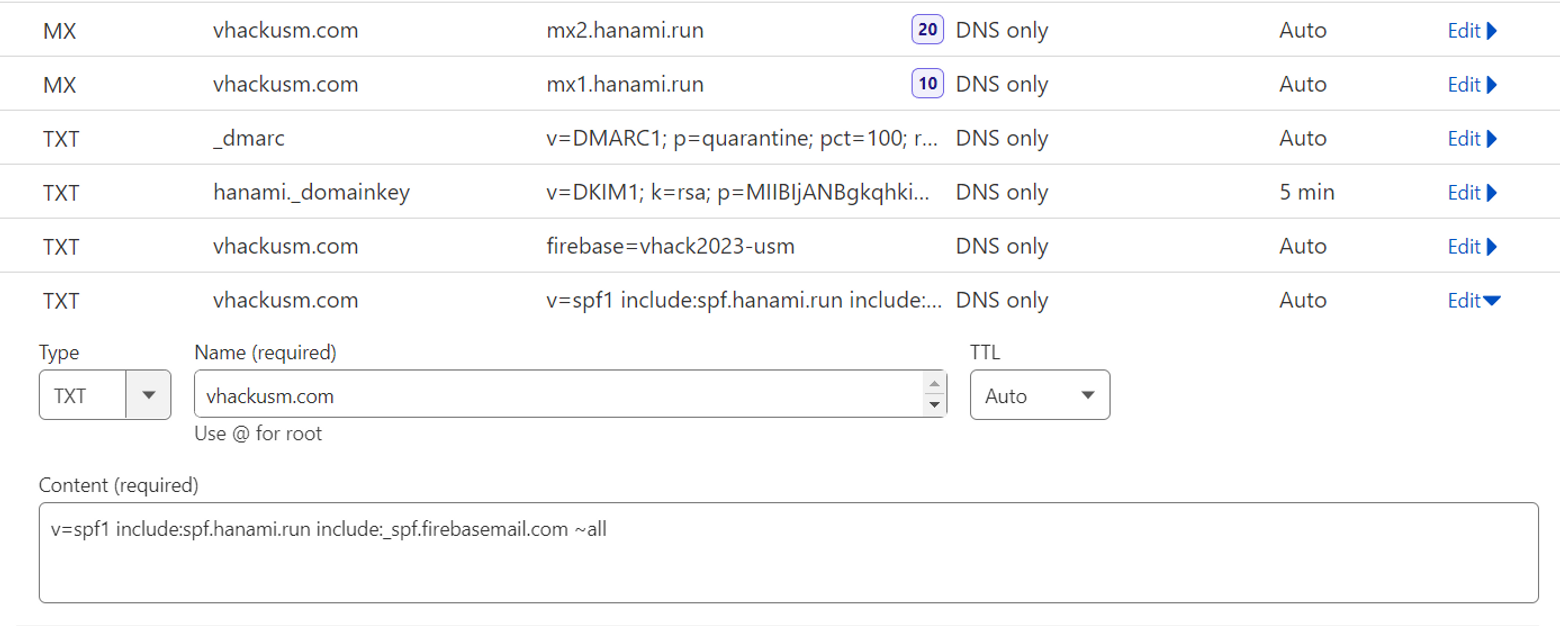
The record should instantly update but it may take a few minutes for DKIM to validate in the website.
Once done, you can start adding forwarding email in the “Alias” tab.
Last year’s reference:
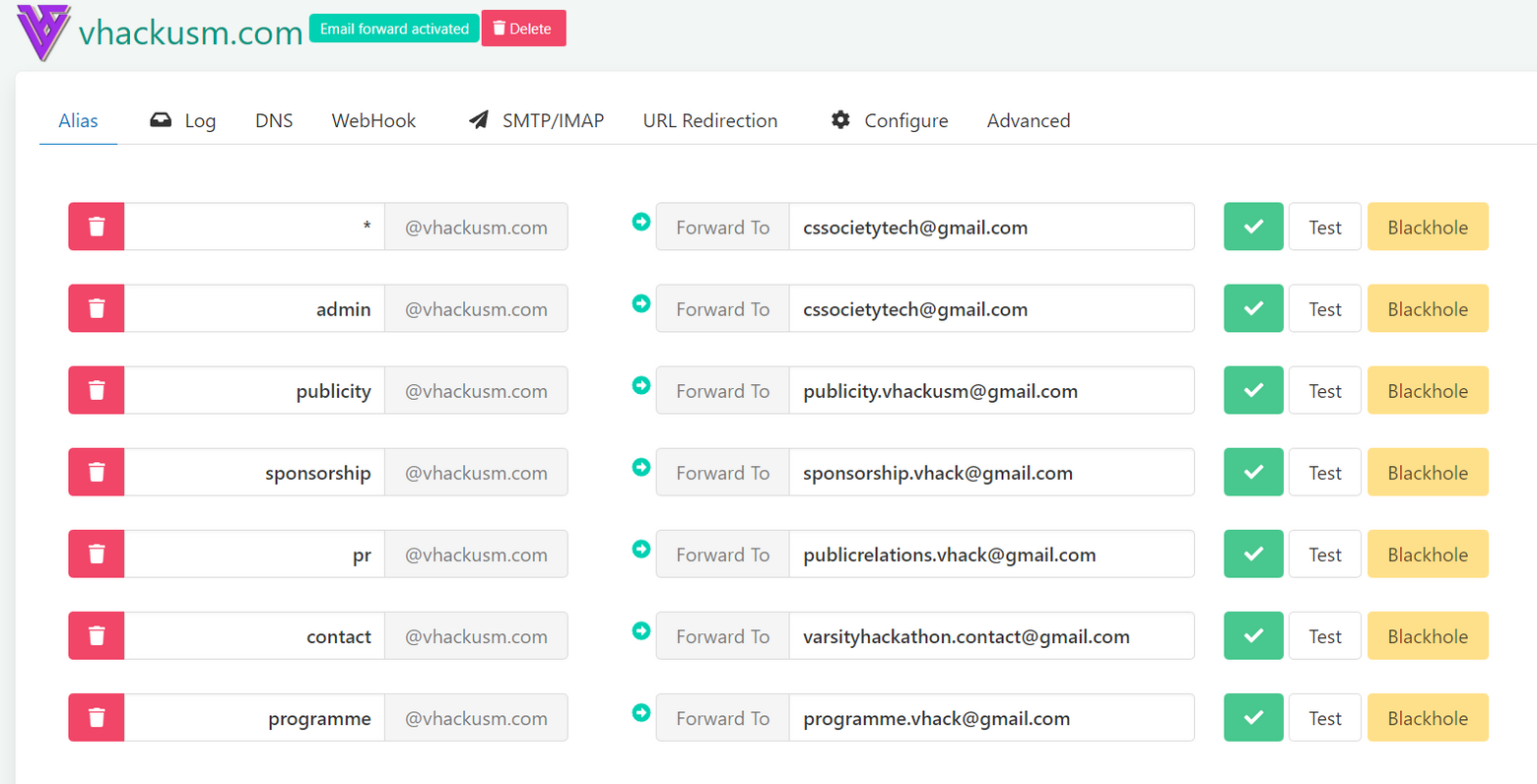
Have the department / yourselves to test out the email forwarding and alias sending.